Off Topic: The story about the Bugatti from Lago Maggiore

From time to time I read some Magazines about Custom Cars. During this weekend I red a story that could be taken from a Hollywood Movie script and I now want to share this amasing story with you. Here it comes….

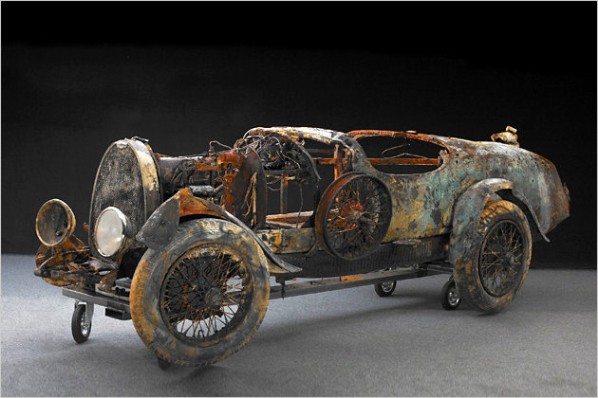
Max Schmuklerski, born in Zurich, worked from 1933 till 1936 in Ascona as Architect. During this time he owned an Bugatti Brescia Typ 22 with French number plates on it.

The chassis of this car with the number 2461 was fabricated in Nancy, and registered 1930 in Paris. Max never registered the Car in his home country and never payed the import duty. As Max has gone back to Zurich in 1936 he left the Bugatti in garage of the construction company Barra where he worked in this 3 years . The people at Barra don’t wanted to get in trouble with customs, they put a chain on the Bugatti and then they countersunk the car in the Largo Maggiore and forgot it over time. The chain got damaged by the rust and so the Bugatti reached the bottom of the lake in a depth of 53 meters and so the left side of the car got preserved by the mud on the ground. Over 30 years the Lago Maggiore keep this little secret for himself, but the scuba diver Ugo Pillon discovered the secret in 1967, till 2009 it was a very special place for under water photographers and diving tourists. 

bugatti-ascona2.jpg bugatti.jpg

In the summer of 2009 the Bugatti got rescued by Jens  Boerlin and the Ascona Diver Club. In January of 2010 the story comes to his end. This vehicle got auctioned and finally sold for 260.000 Euro. The new home of the car is the Peter Mullin Collection in California. The Brescia Typ 22 will remain as it is, no restoration is planned just conservation.


Autodesk Showcase 2010: New Calender Page for March 2010

showcase_banner.jpg

March, do we get  Spring now? Yes, please I hope so, -snow is gone and yesterday we had a big Storm that was causing problems (side note: not that serious like in other countries!). So now we are ready to welcome the sun. -With facing the new Month it’s again time to get finished the new Calender Page in this series.

Lady’s and Gentlemen, I am glad that I count get finished right on the beginning of the 1th of March. This time I choose a model that I created way back in time (I almost forgot when I have started to work on it, long term project, when you know what I mean 😉 ), -as you know I am a fan of Porsche, but I never had enough Money to buy one, so I decided to model one in 3DMax and now I finished the model and combined it with some Rims and Breaks modeled with Inventor. So I hope you like the creative combination of different source material in one Showcase scene.

 -BTW I also created a Wallpaper for those of you that are also love Porsche.

   march2010.jpg  march2010-wallpaper.jpg

I am back! -Inventor Fusion Beta3 Session von der Autodesk University 2009

au2007logo.jpg

Deutsch: 

Hallo Zusammen,

hiermit möchte ich mich wieder zurück melden, denn in den vergangenen 4 Wochen hat mich eine Grippe ins Aus geschossen, aber jetzt bin ich wieder am Schreibtisch und bereit für neue Taten.

Am Donnerstag haben wir bei CADRelations ein besonderes Highlight für Sie integriert, ich meine die Autodesk University 2009 Session von Kevin Schneider, Projekt Manager von Inventor Fusion. Er hat eine Session zu diesem Thema gehalten und ich möchte mit diesem Post das Thema für Sie abrunden, durch Handout und Beispieldateien die Sie nutzen können um das gezeigte selbst zu probieren.. 

Nicht vergessen!!
Wenn Sie den Change Manager installieren und ausprobieren wollen müssen Sie auf der deutschen Inventor 2010 Version das SAP (Subcription Advantage Packs) installiern! 

English:
Hi all,

in the last 4 weeks I was totaly off track depending on a could, but now I  am back on deck! 🙂
Last week we published on of the Autodesk Univesity Sessions at CADRelations, it’s the session from Kevin Schneider, the Manager of the Inventor Fusion Project, to support you with the full material I add to the session recording now the model files and the handout.

Enjoy Fusion it self and be prepared for functions that maybe 😉  will appear in future versions of Inventor. 

 fusion3.png

 Datasets_MA308-1.zip

Handout MA308-1 

labs.jpg Inventor Fusion download…. 

Autodesk Labs: Inventor 2010 Screenshot ist die ADN-Applikation des Monats

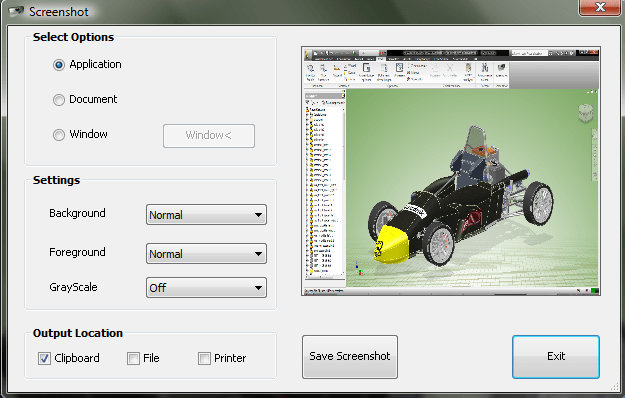
Seit 6 Monaten stellt Autodesk Labs die ADN (Autodesk Developers Network)-Applikation des Monats vor. Diesen Monat ist es etwas für Inventor, ein Tool mit dem Sie Screenshots von Ihren Modellen, Baugruppen und Zeichnungen erstellen können, um so Bilder für eine Dokumentation der Konstruktion zu erstellen.

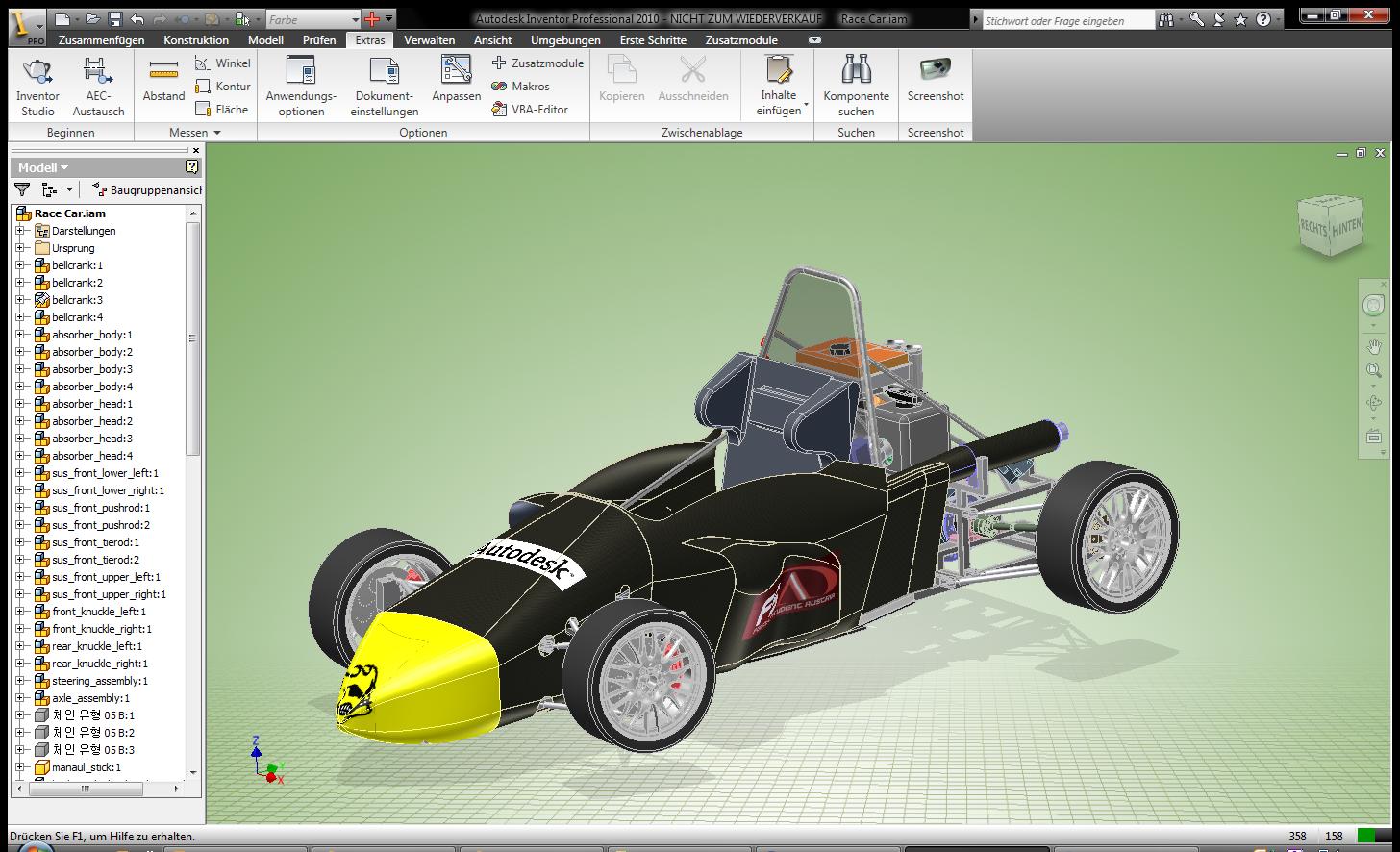
Das Besondere ist hierbei, dass man in der Dialogbox Einstellungen für Ausschnitt, Hintergrund usw. vornehmen kann. Die Applikation wurde für Inventor 2010 erstellt und ich habe die Funktion auf 2010 mit SP2 ausprobiert, -keine Probleme! Nach der Installation finden Sie auf dem Register „Extras“ die Funktion „Screenshot ganz auf der rechten Seite  (siehe Bild).

 ribbon.png sreenshot-inventor-tool.png screenshot-inventor-tool-result.jpg

labs.jpg ADN-Applikation des Monatsseite / Übersicht über alle Monate

Autodesk Showcase 2010: New Calender Page for February 2010

showcase_banner.jpg

Outside we are facing the longest winter in Germany sins 30 years, amazing! Also amazing is the level of components of this packing machine, that I choose for this month Calender Page, it has in total 2848 components and it is one of the demo modells from Autodesk.

I hope you will like it! 🙂

februar2010.jpg

Inventor 2010: Problem eine Netzwerklizenz unter Windows 7 zu nutzen

Haben Sie schon Windows 7? -oder planen Sie einen Umstieg? -Dann sollten Sie dieses berücksichtigen!

Es kommt zu Problemen unter Windows 7 eine Netzwerkversion zu nutzen, denn die Firewall-Einstellungen machen Ihnen einen Strich durch die Rechnung. So passen Sie die Firewall an, um Zugriff auf den Lizenzserver zu bekommen:

  1. Gehen Sie in die Systemsteuerung
  2. Starten Sie die Funktion „System und Sicherheit“ und anschießend die Option „Firewall“
  3. Öffnen Sie die erweiterten Einstellungen
  4. Hier passenen Sie die „Eingehenden Regeln“ an, indem Sie eine neue Regel definieren
  5. Im Dialog wählen Sie die Option „Port“ und anschließend klicken Sie auf den Button „Weiter“
  6. Im nächsten Dialog tragen Sie den Port 2080 ein
  7. Als nächstes nutzen Sie die Voreinstellung „Verbindung erlauben“ und wenden die Regel auf Domain, Privat und Öffentlich an
  8. Nun benennen Sie diese Verbindung ADSKFlex
  9. Wiederholen Sie die Schritte für die Ports 27000-27008 und geben dieser Regel den Namen Lmgrd
  10. Beenden Sie den Dialog, -jetzt ist die Firewall passend konfiguriert

Nun müssen Sie nur noch prüfen, ob Sie im Installationspfad von Inventor und AutoCADM die Licpath.Lic vorhanden ist.

autodesk_inventor.jpg Original Lösungsbeschreibung